6 Best French Transcription Software in 2026
April 2026
·
6 min read


In the past, AI struggled with French transcription due to its linguistic intricacy, particularly its romantic overtones and unique sounds. Even simple words like “c’est” or "ça" posed challenges, often resulting in inaccurate transcripts.
But now, thanks to the advancements in neural speech recognition and large language models, the accuracy of AI-generated French transcripts has significantly improved.
Here is a list of the best French AI transcription software in 2026 so that you can pick the most suitable one!
Best French Transcription Software in 2026
-
Reduct.Video - for accurate, searchable transcripts of high volumes of recordings
-
tl;dv - for live remote meeting and meeting clips
-
HappyScribe - for human transcription option
-
Vook.ai - for transcribing conversations on the go
-
Maestra - for on-demand or real-time transcripts
-
Vomo - for transcribing meetings and getting polished notes
1. Reduct.Video
Why pick it?
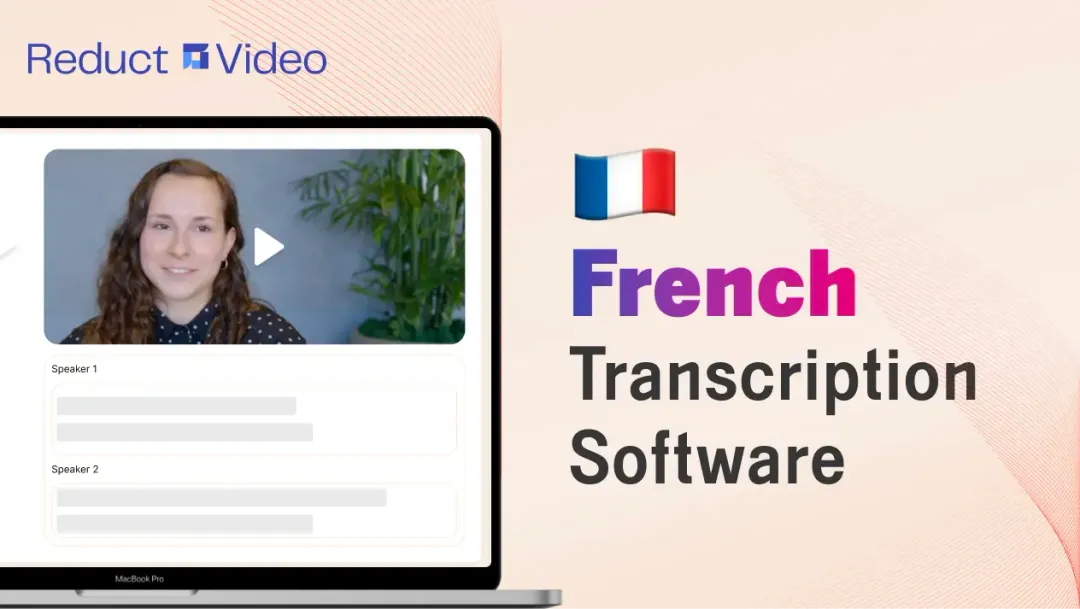
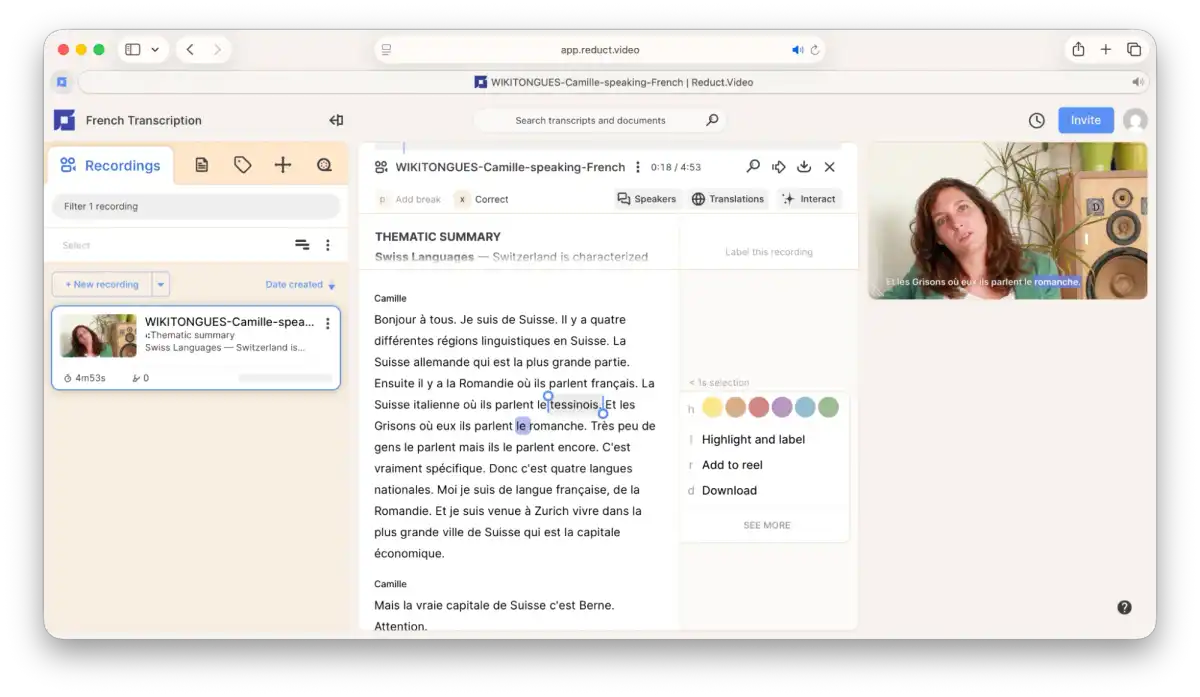
Reduct is a text-based video editing software that offers highly accurate AI transcription for large volumes of audio and video recordings.
With support for over 90 languages, including French, Reduct makes getting accurate French transcripts simple and hassle-free. Just upload your recordings, and you’ll have accurate French transcripts with an option to edit them.
You can also generate summaries, search specific words, get timestamps, highlight key sections, and label speakers.
Reduct even lets you tag team members and add comments on your transcript, making collaboration smooth. And if you want to convert your French transcripts into another language, you can use the automated translation service.
Organizations in privacy-sensitive industries, such as law and user research, trust Reduct because it prioritizes data security and maintains industry-standard compliance, such as SOC 2 Type II, GDPR, and HIPAA.
Who is it best for?
If you manage large volumes of audio and video content, such as body-cam footage, interviews, or calls, Reduct is for you!
It’s an ideal solution for professionals in criminal defense, including attorneys and paralegals, as well as researchers managing large volumes of recordings.
Choose Reduct if your process goes beyond basic transcription, like analyzing recordings, collaborating with teammates, text-based video editing, or translation.
Pricing
- Free trial (5 hours of free transcription)
- Paid plans:
- Personal ($12/month per editor paid annually)
- Professional ($40/month per editor paid annually)
- Flexible pricing that fits any Enterprise

2. tl;dv
Why pick it?
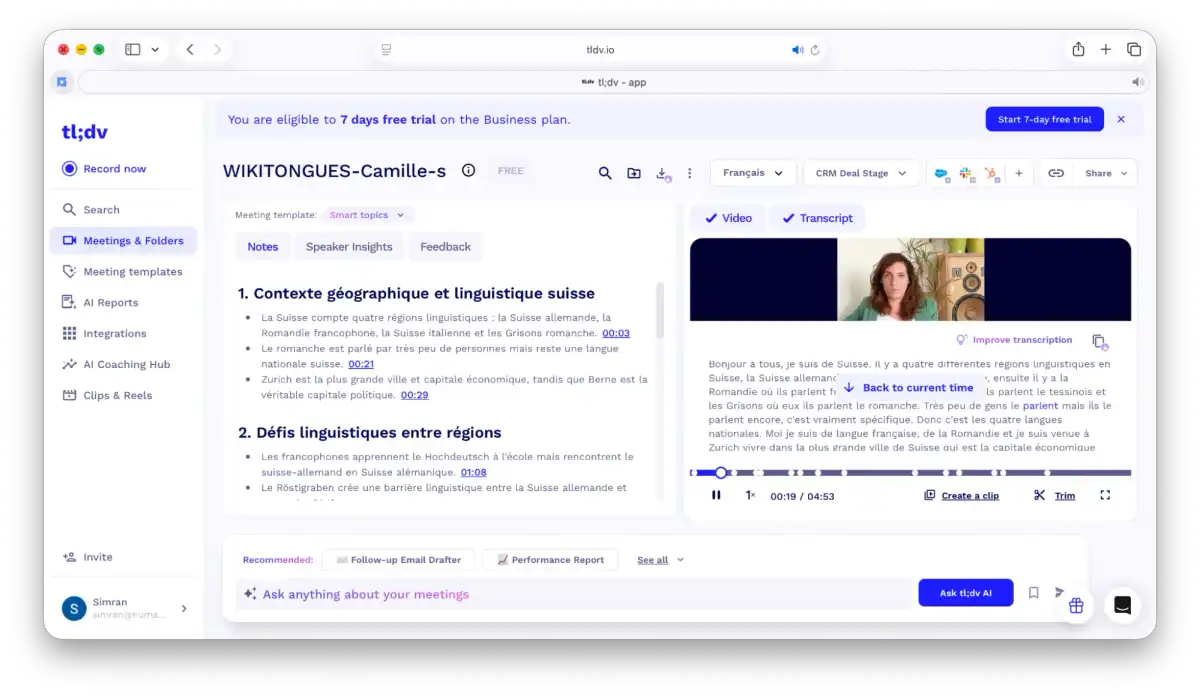
Tl;dv is a software best-suited for transcribing online remote meetings. You can integrate it into your calendar and have your Google, Zoom, or Slack meetings automatically transcribed in real-time.
Tl;dv analyzes the details of your meeting and generates meeting notes. It also saves you time by capturing the main points, ideas, and questions. You can even customize how this template features tags your notes.
With tl;dv, you can pinpoint issues and outline the next steps discussed in your meetings.
Who is it best for?
Tl;dv is ideal for teams working primarily on remote meetings. If your workflow involves uploading files or importing them from other platforms, tl;dv is not right for you.
It gives unlimited recordings and transcripts in 30+ languages for free. However, the most advanced value, like unlimited AI summaries, integrations, CRM sync, and coaching insights, sits behind paid tiers, which are aimed at sales, marketing, and customer success teams.
Pricing
- Free trial (unlimited recordings and transcripts with limited AI features)
- Paid plans:
- Pro ($18 per seat/month, billed annually)
- Business ($29 per seat/month, billed annually)
- Enterprise (Customizable)
3. HappyScribe
Why pick it?
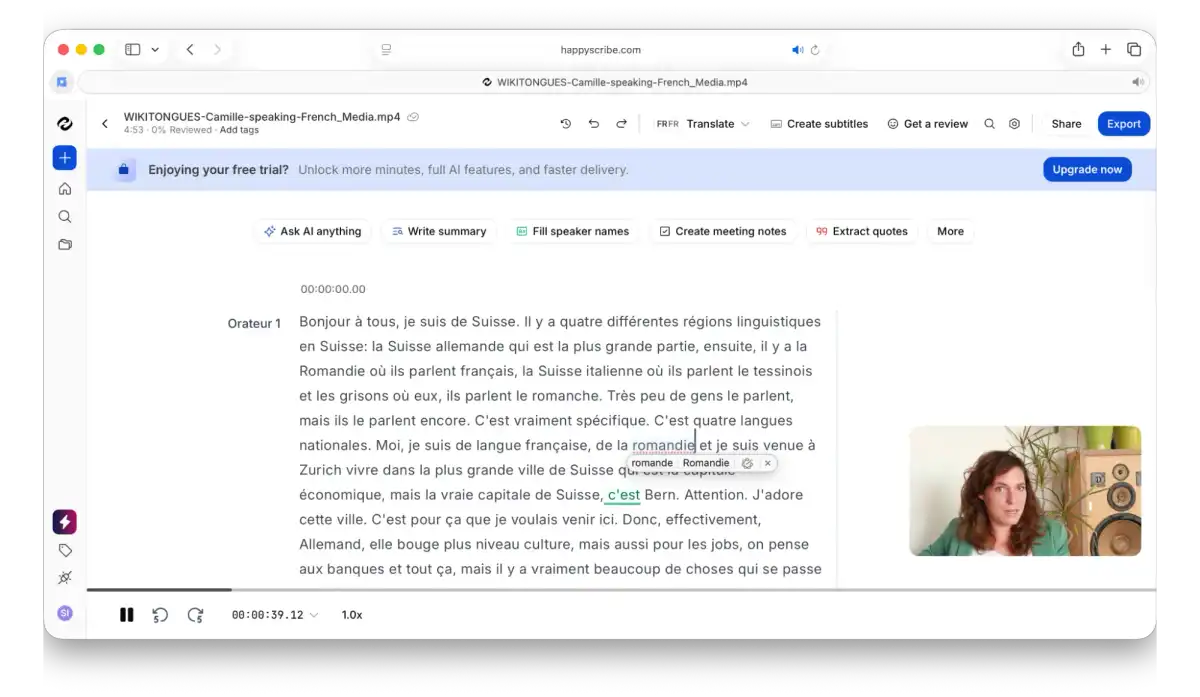
Unlike other tools in the list, HappyScribe also offers human transcribers for French audio/video along with its AI transcription service. This covers more accurate and high-quality French transcriptions of different accents and dialects.
HappyScribe serves a diverse user base for French accents - from France, Belgium, Canada, and Switzerland.
You can proofread transcripts and add comments on HappyScribe, letting your team check up on work together. You can also do text-based or frame-based editing. If you focus on organizing transcripts, it also provides four types of highlighters.
You can then export the transcription in different formats, with highlights, subtitles, comments, and speaker names if you want.
Who is it best for?
HappyScribe is great for content creators, media producers, journalists, researchers, and marketers.
If your French media has complex dialects and accents, HappyScribe's human transcription could be perfect for you.
Pricing
- Free trial (10 minutes of transcription)
- Paid plans:
- Basic ($8.50/month per user, paid annually)
- Pro ($19/month per 3 users, paid annually)
- Business ($59/month per 5 users, paid annually)
- Human transcription at $2.75/ minute, with a 24-hour turnaround time.
4. Vook.ai
Why pick it?
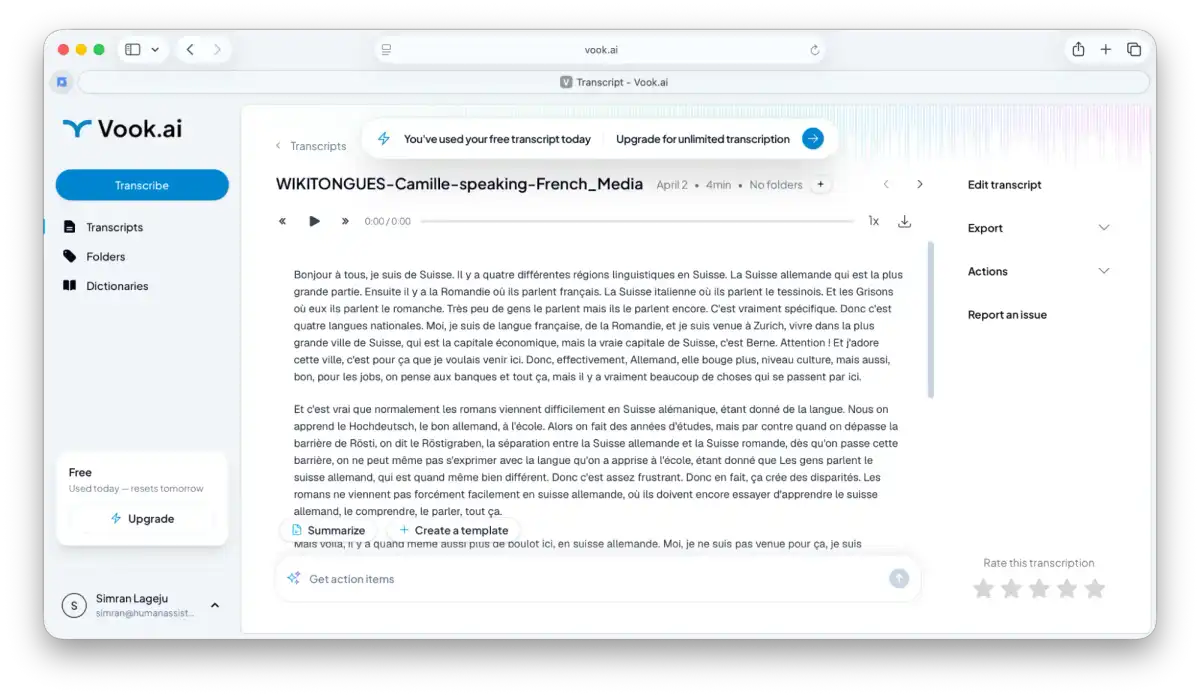
Vook.ai is great for turning audio and video conversations into transcripts. You can use it for your French meetings, podcasts, or interviews. It's mobile-friendly, letting you record when needed. You can also add new recordings after uploading existing audio or video files, which makes it useful beyond just meetings.
It has a straightforward process for uploading recordings. You can also create custom French dictionaries for enhanced transcription efficiency.
You can edit your media using its intuitive editor, and also enable timestamps. Sharing and exporting transcripts are also straightforward and easy.
One limitation is that even if you upload a file, you won’t be able to access the video alongside the transcripts.
Who is it best for?
Vook is best for demanding professionals and teams who need to turn long audio or video conversations into structured, actionable text, especially in fields like consulting, legal, HR, journalism, and research.
It’s a strong fit if your workflow involves interviews, meetings, or recorded discussions that need to be transcribed and analyzed without compromising data privacy.
Pricing
- Free trial (1 transcript per day)
- Paid plans
- Pro ($13 per month, paid annually)
- Unlimited ($26 per month, paid annually)
- Business (33/user per month, paid annually)
- Enterprise subscription (Customizable)
- 10h pass, which never expires ($3 per hour, no subscription required)
5. Maestra
Why pick it?
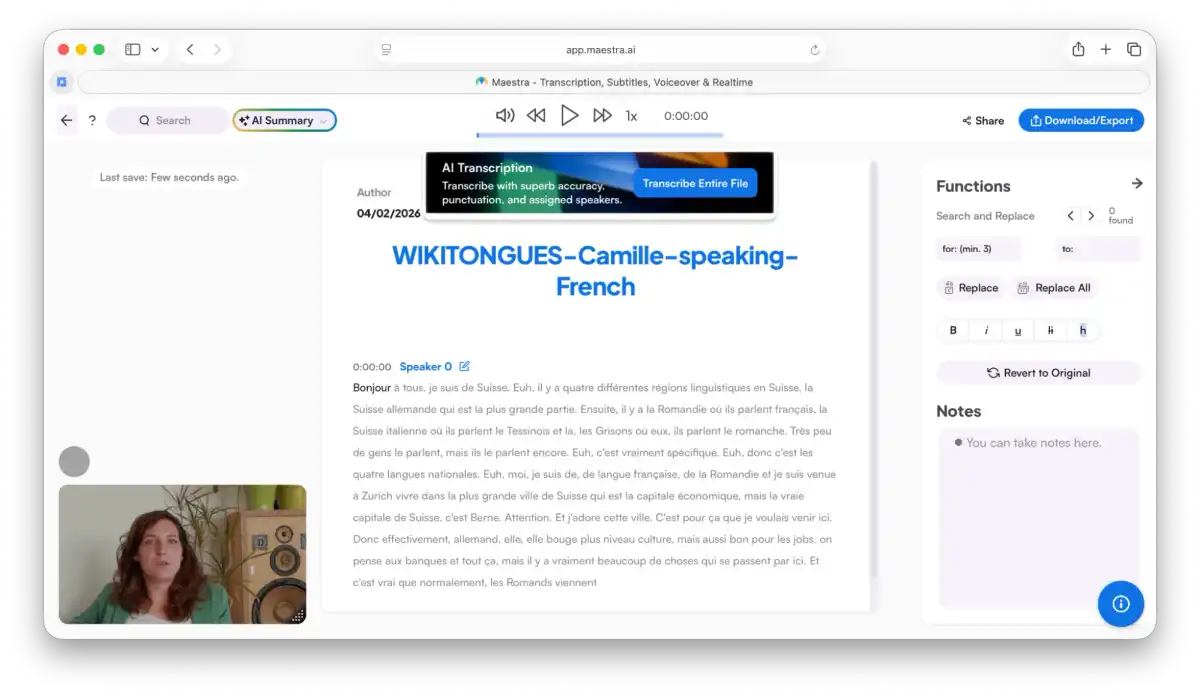
With Maestra, you can automatically transcribe, caption, and add voiceovers to your audio and video content in over 125 languages, including French.
It can also help you edit audio in French or clone voices with AI for dubbing. Maestra is flexible, allowing you to edit transcripts like you would in Google Docs or Microsoft Word.
Once you’ve uploaded your file, you can make formatting changes to the transcripts. You can add labels and headings, and write notes as if you’re working on a customized script. You can also add custom dictionaries and do text-based editing for captions and voice-overs.
Who is it best for?
Maestra is famous among educators, content creators, students, and media professionals.
If you cater to editing, adding voice-overs, and note-taking, Maestra can be for you. You can opt to pay-as-you-go or commit to a monthly subscription. There is also an additional discount for students, teachers, and non-profits.
Pricing
- Free trial (30 minutes of free transcription)
- Paid plans:
- Pay as you go for $12 per hour (usage-based credits)
- Lite at $23 per month, billed annually
- Basic at $39 per month, billed annually
- Premium at $79 per month, billed annually
- Enterprise subscription (Customizable)
6. Vomo.ai
Why pick it?
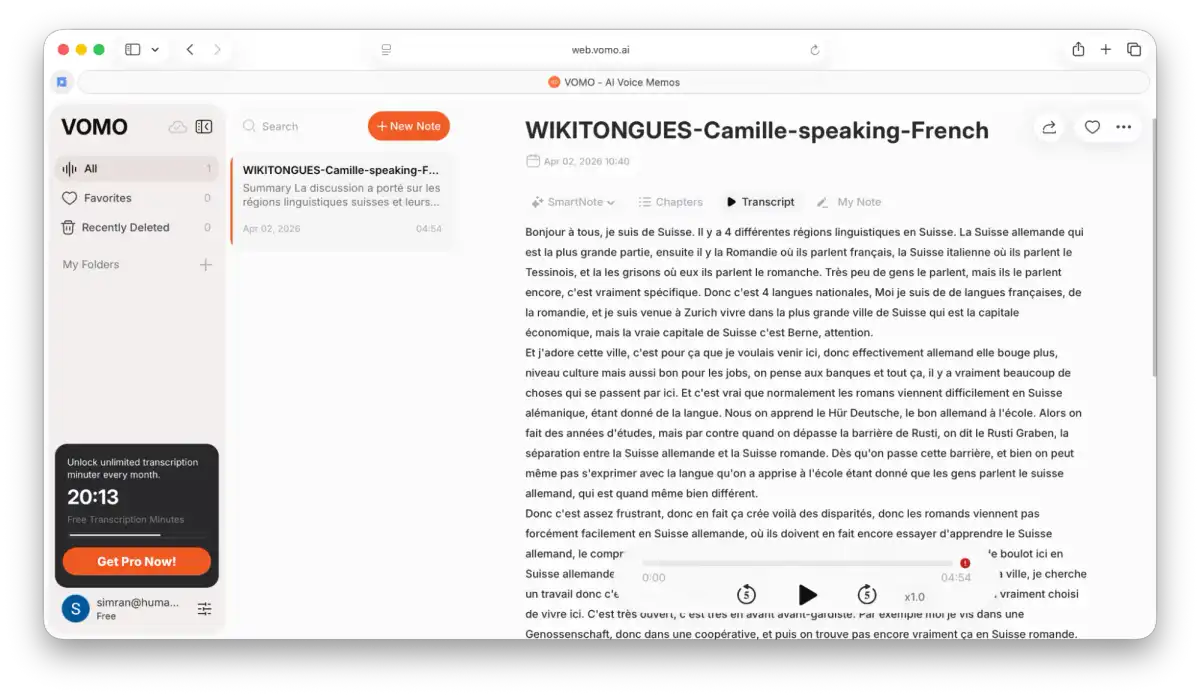
Vomo.ai uses an AI engine optimized for French syntax, allowing it to handle common grammar patterns and speech nuances better than many general-purpose tools.
The platform is designed with speed in mind. You can upload your audio or video and receive transcripts within minutes, making it ideal for quick turnaround tasks like generating subtitles or capturing meeting notes. The interface is simple and easy to navigate, so you can review and export transcripts without a steep learning curve.
Vomo includes useful features like speaker identification, timestamps, and quick export options, helping you get usable transcripts with minimal effort.
Who is it best for?
Vomo.ai is best suited for individuals and teams who need quick, no-fuss French transcription.
If your priority is speed, such as transcribing short videos, meetings, or interviews without needing heavy editing, Vomo is a practical choice.
However, if you need more than just transcription, such as editing transcripts like a document, collaborating with your team, or transforming insights into video clips, it may not be the best choice.
Pricing
- Free trial (30 minutes of free transcription)
- Paid plans:
- Pro at $19.99, billed monthly
Did you find the right solution for your use case?
Whether you are a researcher, a law practitioner, a marketer, or just have a lot of transcription work, AI transcription proves to be a big help. But finding the best AI tool for transcribing French audio or video, with its many homophones and accent marks, can be tricky. The right solution makes all the difference.
When choosing transcription software, make sure it meets your needs for accuracy, pricing, turnaround time, and security.
Reduct provides quick and accurate AI transcription at affordable prices, and our support team is always available to help with specific questions. for a customized demo.