How We Use Transcripts to Navigate Videos at Reduct.Video
April 2026
·
2 min read


A transcript is a lossy compressed version of the truth. When you convert video into a transcript, you naturally lose the context around what’s being said:
-
The five-second hesitation before someone answers a sensitive question
-
The uneasy laugh that undercuts a "yes"
-
The moment two people start talking over each other and the dynamic shifts
-
The pause before "I don’t recall," or the shrug that follows
None of that makes it into the transcript, so understanding what actually happened means going back to the recording. But when you’re dealing with hours of interviews, meetings, and field footage, working through all of it becomes slow and impractical.
So transcripts became the workaround. Instead of watching everything, you can read through the text, get a sense of what’s there, and decide where to spend your time.
From transcript to navigation
At Reduct.Video, we treat transcripts differently.
Every word in a Reduct transcript is linked to the exact moment it was spoken. You can click any word and immediately jump to the source, hear the tone, see the body language, and understand what actually happened.
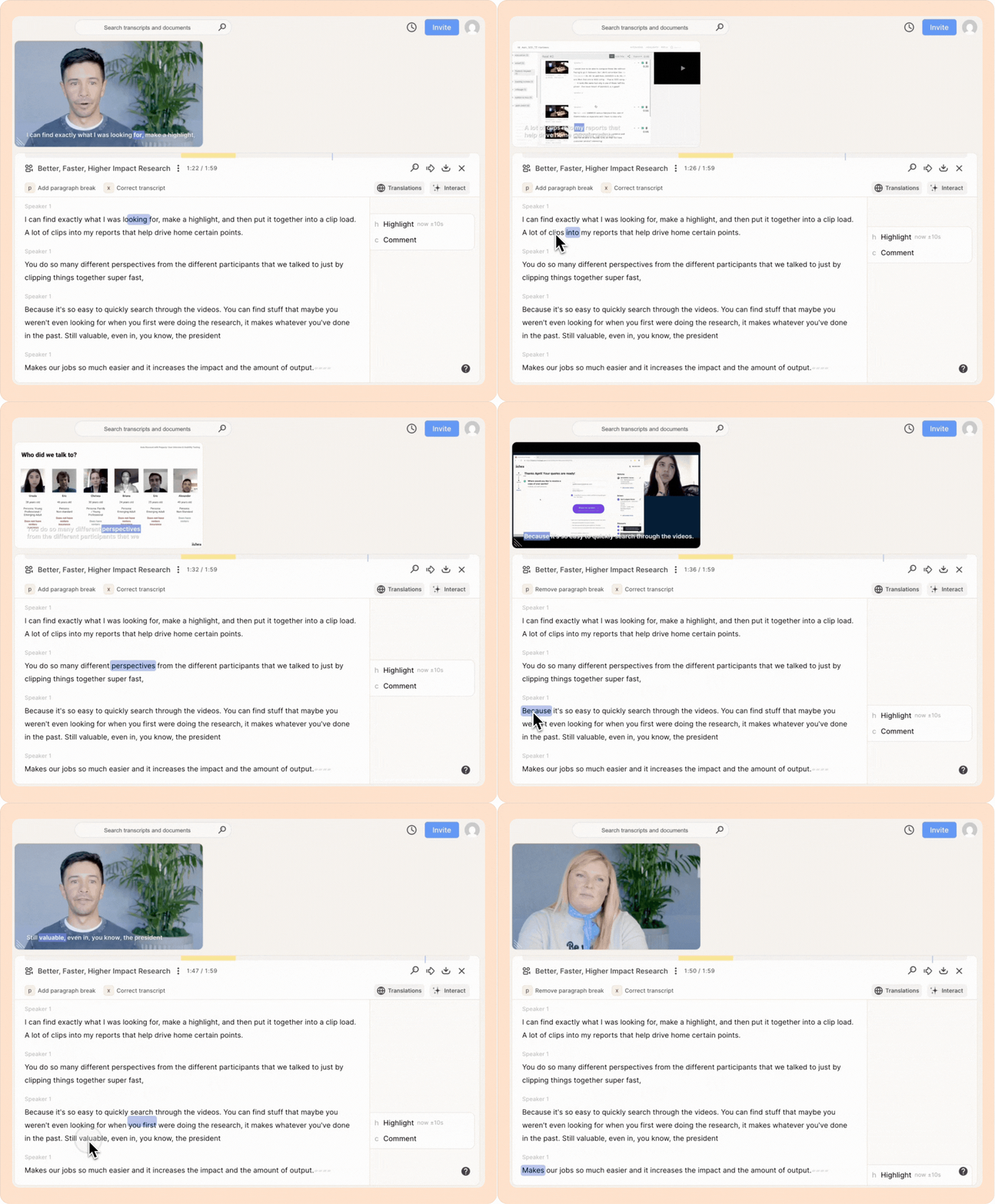
Here, the transcript doesn’t replace the recording, but helps you get back to it. That means even if the AI-generated transcript isn’t fully accurate, it is still 100% searchable. You can scan, skim, and search for the crucial moments, then jump directly into the ones that deserve attention.
This changes how you review all your audio and video recordings.
How this looks like in practice
Depending on what you need in the moment, you can enter the recording in a few different ways:
- Start with a summary organized chronologically or by topic to get an at-a-glance view of the recording.
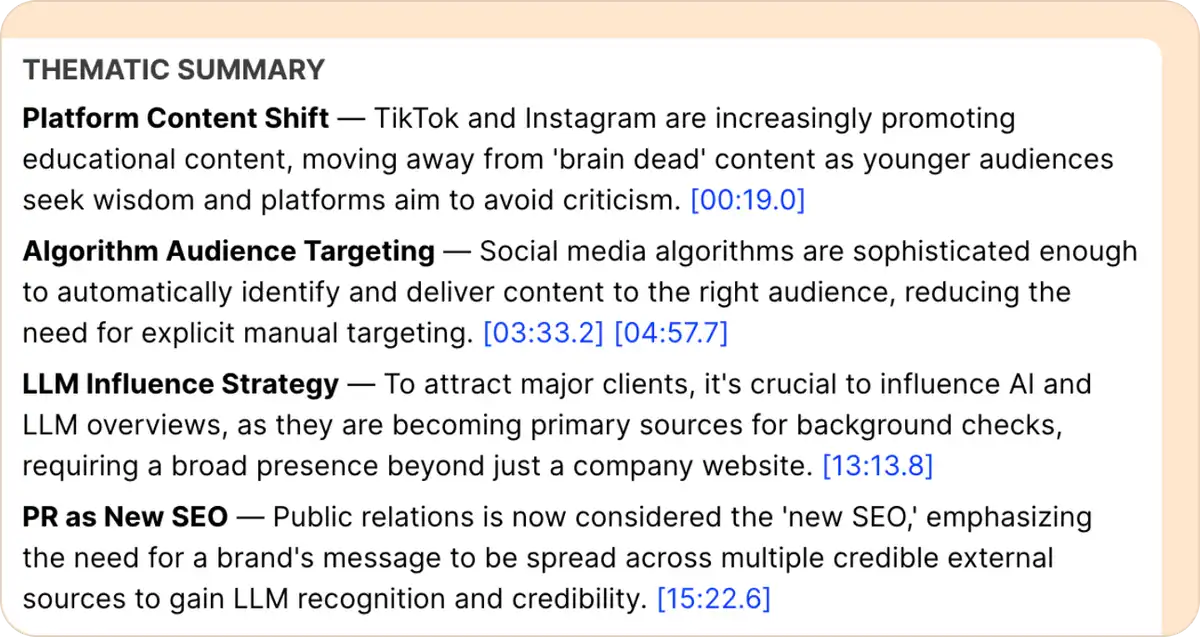
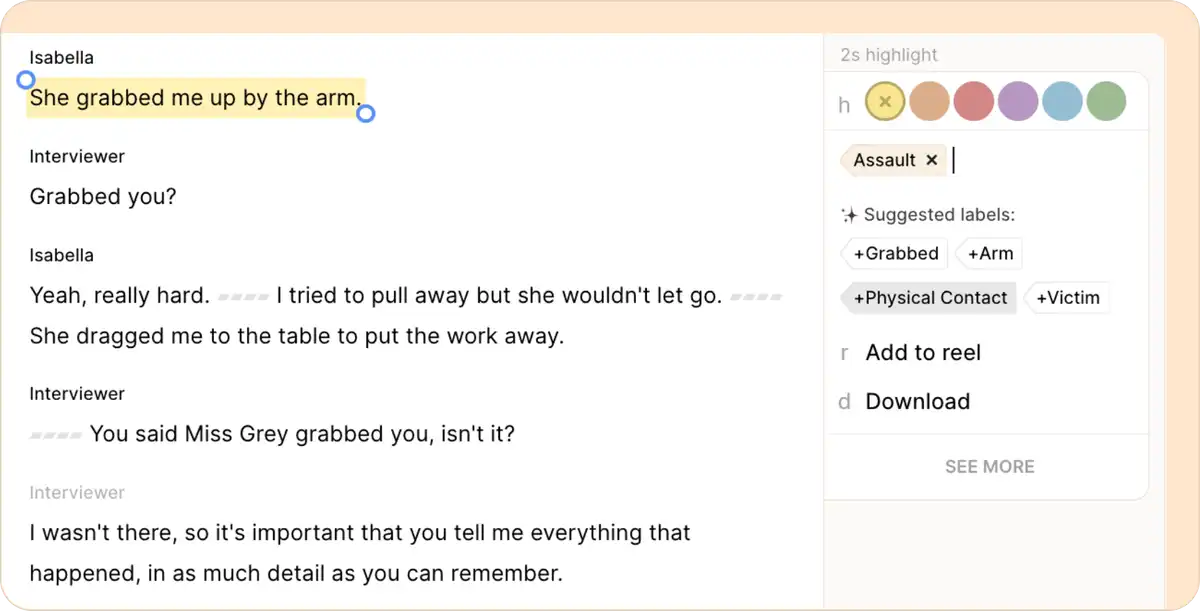
- Read through the transcript to spot moments worth closer attention in the recording, then highlight and label important sections to organize themes.
- When you remember what was said but not where it appears in hours of recordings, you can search for keywords or phrases. For example, searching for "feedback" in Reduct instantly surfaces every mention of the word across your project, letting you jump directly to each relevant moment.
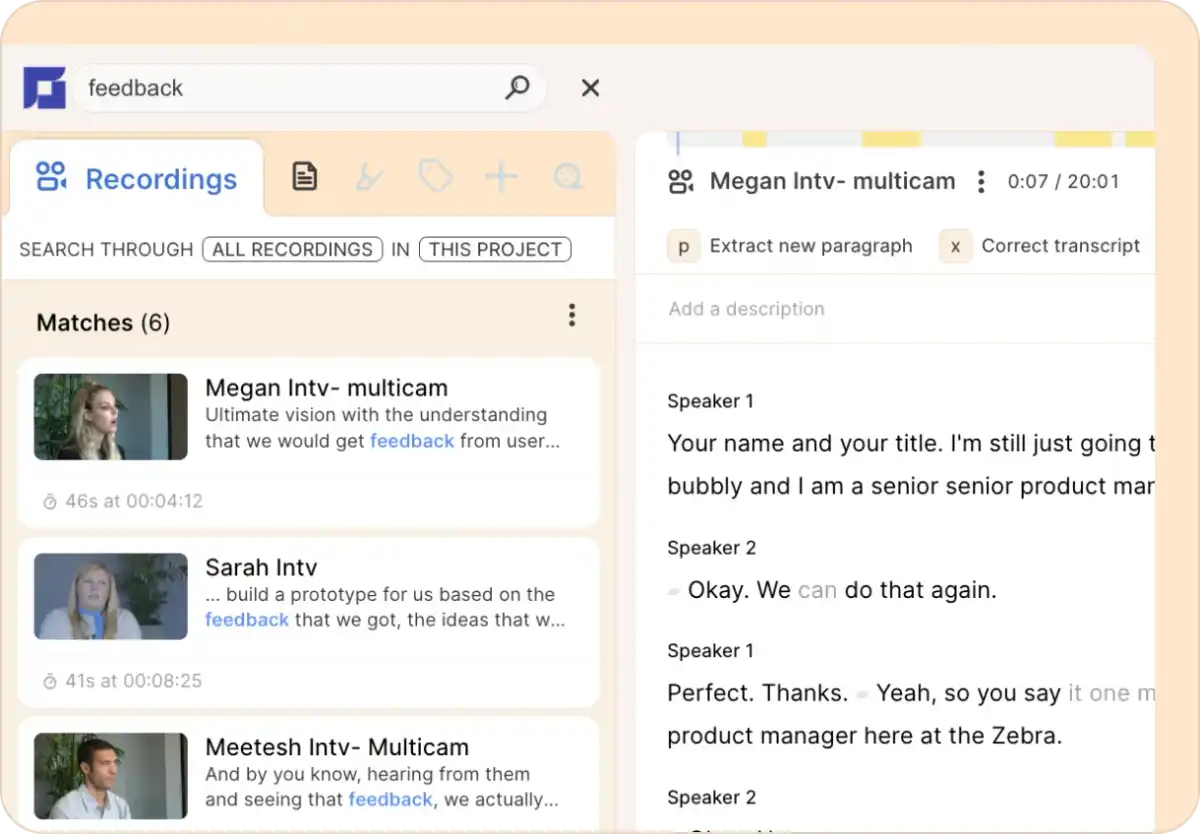
Each step narrows your focus. So when something stands out, a quick click-to-play takes you straight to it in the recording.
From there, you can review more carefully, refine the transcript if needed, and pull out the exact moments that carry meaning.
A faster way to review your recordings
Modern transcripts are interactive maps to evidence. Instead of chasing perfect accuracy, they give you full coverage so you can move through hours of footage in minutes. You see the shape of the material, zero in on what matters, and drop into the exact moments that deserve your attention.
This way of working is faster, but more importantly, it’s more reliable. Instead of guessing where the insight might be, you can find it directly in the record.