

Document support is out of beta. Here is everything you can do as a Public Defender.
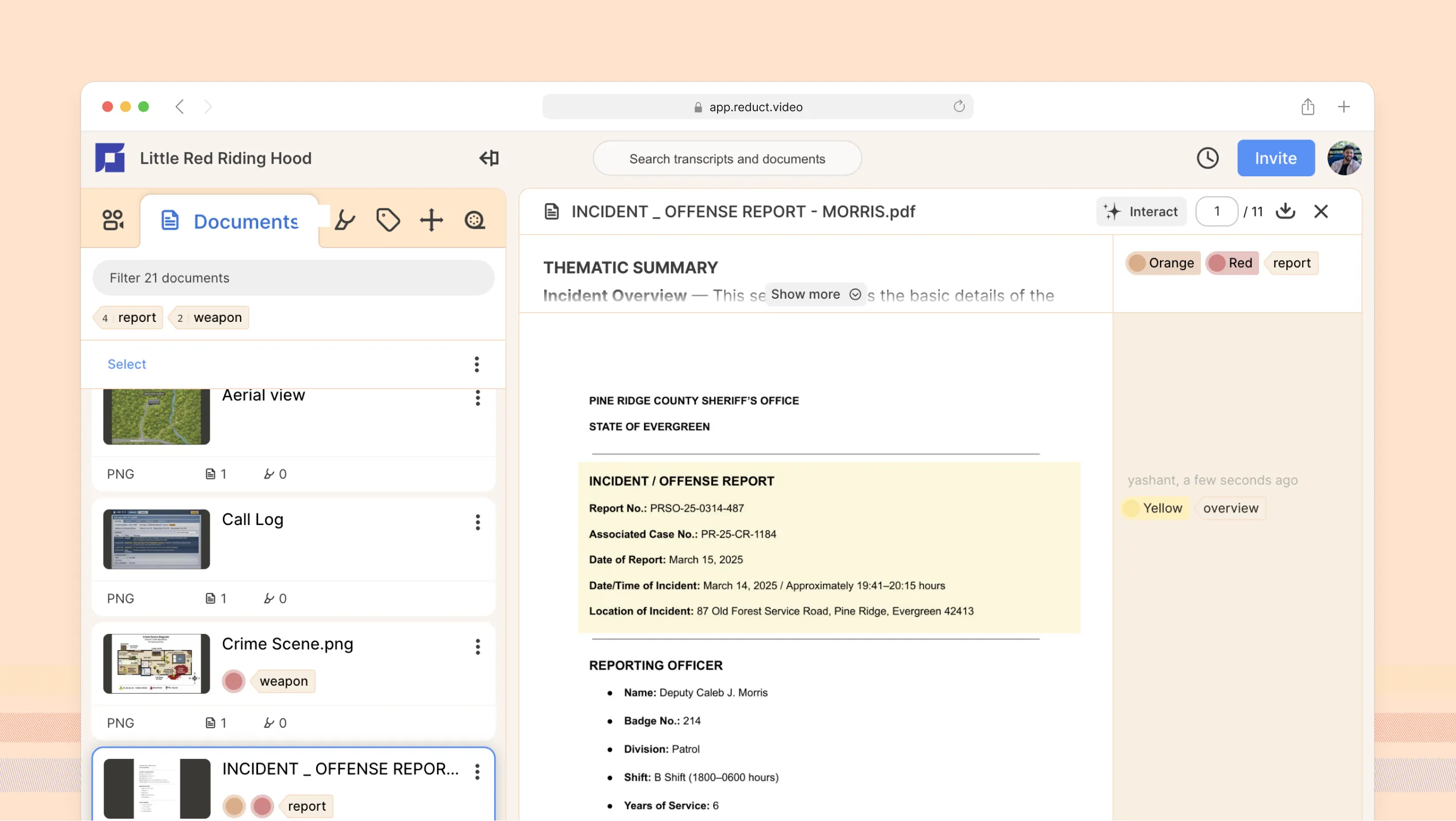
Reduct lets you search across hours of recordings, highlight clips, summarize interviews, and share moments with your team. But your work has always involved more than video and audio, so we have added support for documents and images to the platform.
Now Reduct can hold all your files. It supports .txt, .pdf, .docx, .pptx, .xls, .png, .jpg, .jpeg, and a wide variety of other formats.
We tested it quietly with a small group of customers and incorporated their feedback before opening it up more widely. Today, we’re taking the feature out of beta and making it available to Enterprise users at no additional cost through the end of 2026.
Here's a full walkthrough of what you can do:
Batch upload at scale
Upload PDFs, Word docs, images, and videos all at once. Whether you’re working with a large research repository, a project archive, or materials from multiple sources, you can drag them all in.
Add metadata to stay organized
You can add descriptions, labels, and colors to each document during upload or after upload completion. This is particularly useful when you’re managing a large project and want to find things quickly later without digging through everything.
Search for terms across your entire project
Search for any word or phrase, and Reduct surfaces every match across every document in your project. This feature is especially useful for finding a phrase or a name used across a large set of files.
Summarize any document
You’ve learnt to rely on the ability to summarize recordings. Naturally, you can do the same with documents.
Batch summarize many documents at once
You can run both summary types across every document in your project at once. You can either generate a thematic summary or write a set of questions and run them across every document at once. Batch summary can help you spot patterns across a large body of material and prioritize where to focus your attention.
Ask questions directly to a document
If you want to go deeper into a single file, you can ask it a question. Reduct pulls the answers directly from the document, so you don’t have to re-read pages just to find one specific thing.
Highlight, color-code, and label what matters
You can highlight parts of a document in different colors to organize and categorize content. You can also attach labels to specific sections to theme content or prepare it for sharing with your team. This makes it easy for you to scan through important bits without rereading the whole document.
Invite your whole team
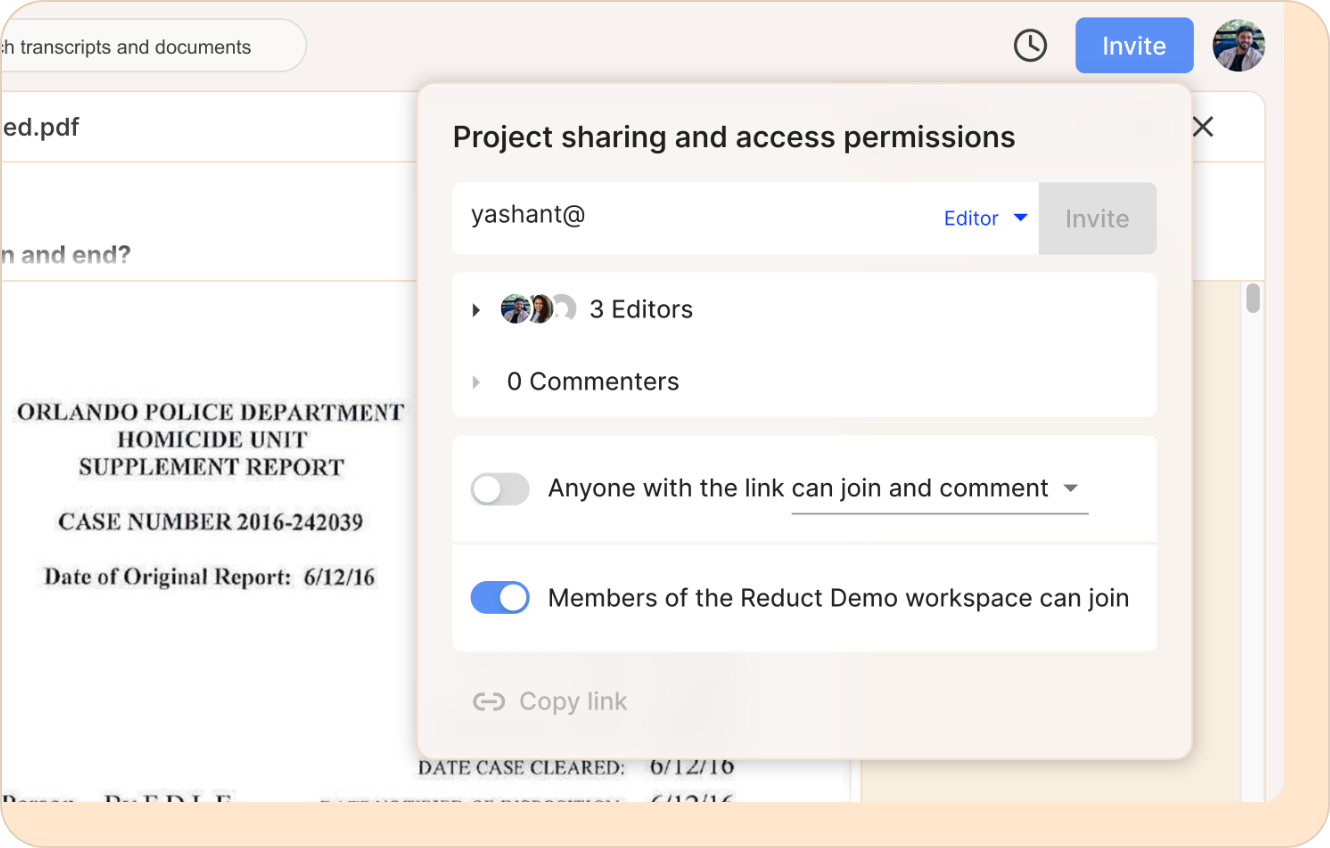
Sharing documents in Reduct is straightforward. Use the invite flow to bring your team into the Reduct project. Everyone works on the same project, with access to the same documents, highlights, and labels.
Download any document from anywhere
With all your files in a secure cloud space, you can access and download from any device. Your documents live in Reduct alongside your video and audio, so you only have one repository for everything.

We are continuing to improve and extend what you can do with documents in Reduct. We’d love to hear your feedback and suggestions, so please don’t hesitate to reach out if you have any ideas.
TALK TO A PUBLIC DEFENDER
We're on your team

We believe the people building tools for defenders should understand what it actually takes to be one. So we have former public defenders helping us build the product. Have a question about whether Reduct fits your office? We’d love to talk to you.


