Keep your work in one place. Do more with Documents in Reduct.
June 2026
·
2 min read
You've got recordings in Reduct, reports in Google Drive, notes in Word documents, and screenshots scattered across your desktop. Making sense of any of it means jumping between 4 tools before you've even started.
So we fixed it.
Reduct now supports documents and images: PDFs, DOCX, PPTX, PNGs, JPGs, and more. Your recordings, reports, and files all live in one project, which means less context-switching while you work.
Getting started takes 30 seconds
You can batch upload your 100+ files at once. Drag in a whole folder of PDFs, videos, and documents together.
Reduct skips files that are already uploaded, so if something interrupts mid-upload, just drag the folder in again.
Once files are uploaded, you can add descriptions, labels, and colors to keep things findable 6 months from now.
Find anything, across everything
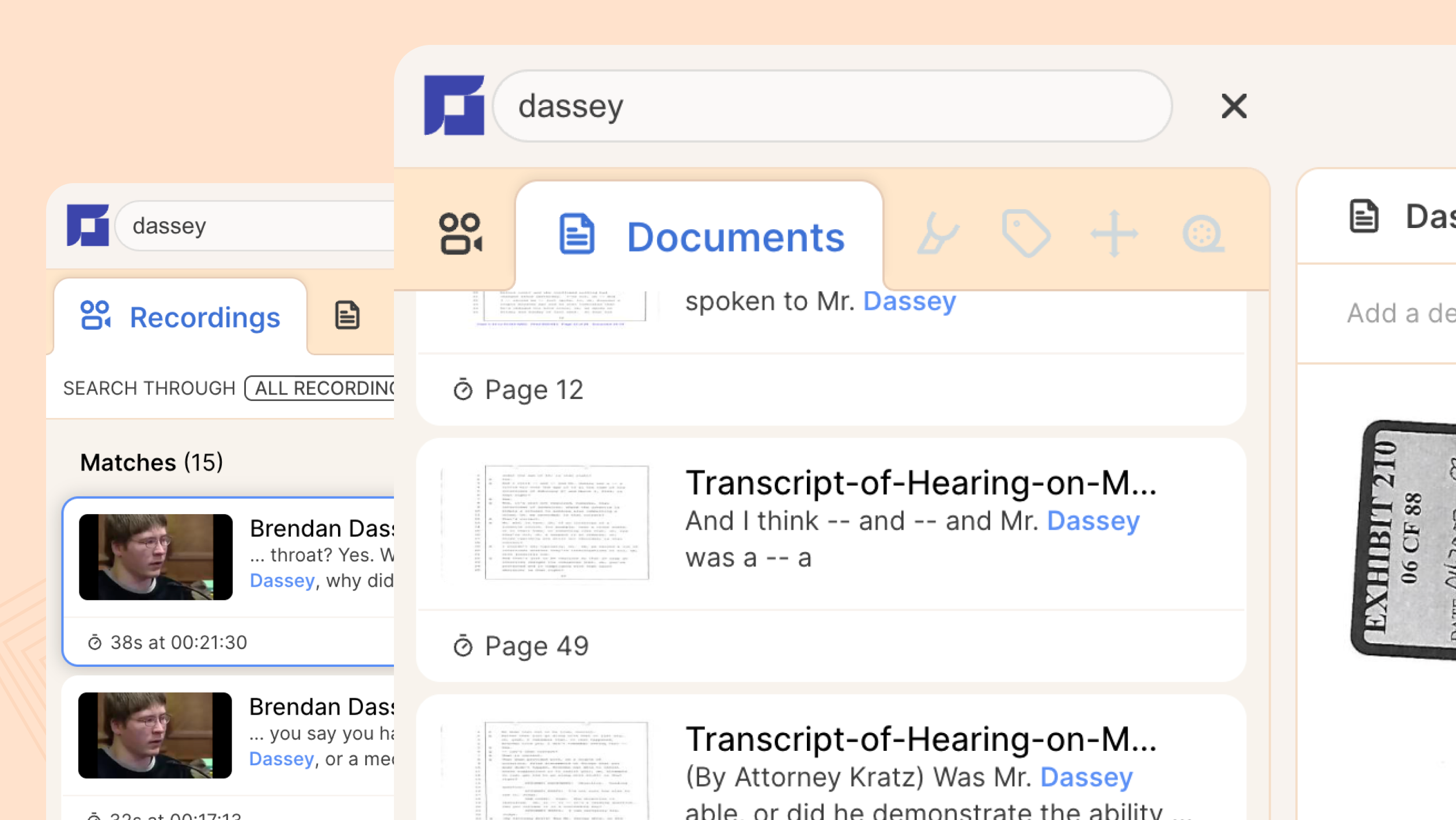
Search across your entire project at once. Type any word or phrase, and Reduct surfaces every match, across every document and recording.
Say, you want to find all the sections where a person named Rowan is mentioned. Search for it using the search box, and Reduct finds the exact pages and sections.
Summarize documents the same way you summarize recordings
You have 12 reports covering various years and need to find what's changed. Run a thematic summary across all of them. Key ideas come back organized by topic, each linked to the exact page it came from.
If you need to cover something more specific, you can write your own summary questions. Reduct pulls the answers straight from the file. Works on a single document or every file in a project at once.
The answer is in there. Reduct finds it.
You can also ask your documents a direct question and get an answer linked to the source. You don't have to re-read pages to find one specific thing.
Example: Type "What did the neurologic exam conclude?" Get the answer and the exact passage.
Highlighting, color-coding, and labeling work on documents the same way they work on recordings. For example, you use blue for confirmed facts and red for anything that still needs further review. That system now works on every file in your project.
Access from anywhere, with your whole team
Documents live in Reduct's secure cloud alongside your recordings. Your team gets access through the same invite flow you already use. With one repository, one set of annotations, and one shared project.
Download any file from any device, whenever you need it.

If you're an Enterprise customer, Document support is already in your workspace. If you don't have access yet, reach out at support@reduct.video, and we'll get it set up.
We're continuing to build on this. If you have feedback or ideas, we want to hear them.
TALK TO A PUBLIC DEFENDER
We're on your team

We believe the people building tools for defenders should understand what it actually takes to be one. So we have former public defenders helping us build the product. Have a question about whether Reduct fits your office? We’d love to talk to you.