How to Review Medical Records Faster for Your Defense Case
July 2026
·
3 min read
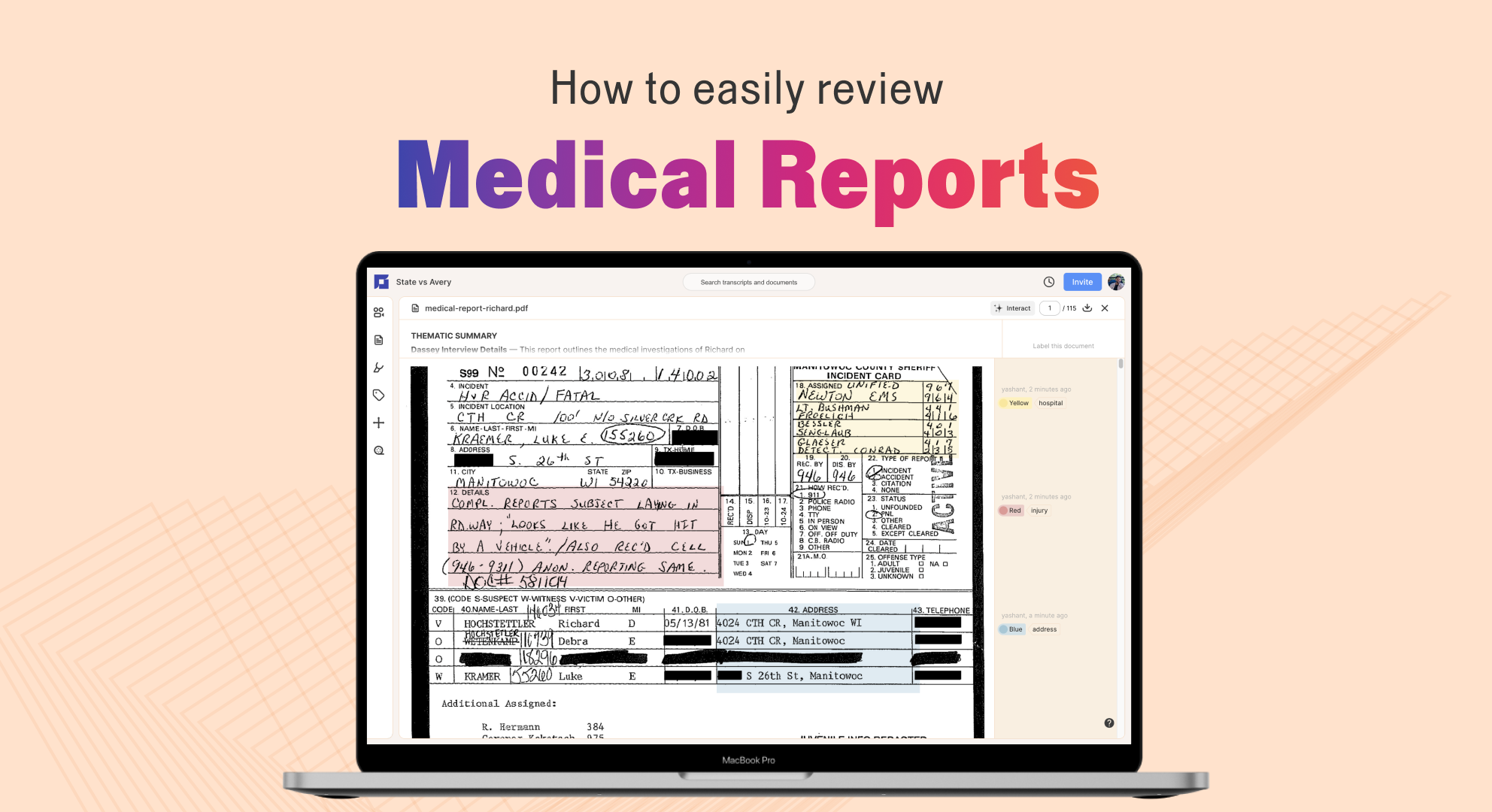
Medical records are some of the densest, highest-stakes discovery a public defender handles. A psych evaluation can decide whether your client is competent to stand trial. An ER intake note can contradict the police narrative. An autopsy report can mean the difference between a murder charge and something less.
You get hundreds of pages of files, often dumped close to a hearing date, often a mix of typed reports and handwritten notes that look like they were scanned through a coffee stain.
You're reviewing this scattered pile of records while also prepping cross, filing motions, and meeting your client. Here's how to get through them and find the details that build your case.
Start with a batch upload of everything
Medical records come as a mix of files. An autopsy report often arrives with photographs, a body diagram, and a separate toxicology panel. A psychiatric evaluation comes with prior treatment records and medication history. Before you dive into the details, get it all into the same, searchable workspace.
Reduct's batch upload lets you drag in the whole folder at once: PDFs, scanned images, Word documents, even phone photos of paper records. Whatever you've received lands in the same project.
Summarize files the way you want
Run your medical documents through Batch summarize. Reduct breaks the documents into a scannable summary, with citations, so you know what's actually in front of you before you commit to reading all of it page by page.
You can see the shape of the records in minutes: which report is the forensic report, which one's the tox screen, which one's just billing paperwork that you don't need.
This matters most with late discovery dumps. When you don't have time to read everything cover to cover, you need to know fast what's worth your attention.
Customize Reduct's summaries by typing in your own questions to focus on the details that matter most for your case, like medications, injuries, or timelines. This makes your summaries more relevant and helps you surface the evidence that's most relevant to your case, faster.
Search, highlight, label, and comment to build what you'll actually use
Search across your entire record to instantly find diagnoses, medications, providers, or specific terms without manually flipping through hundreds of pages.
You can turn what you find into organized case evidence you can use in a motion, negotiation, or cross-examination, and that your investigator or co-counsel can immediately build on.
Highlight the passages that matter, label them by issue, and add comments explaining why they're important or noting any next steps, like consulting a medical expert.
When you come back to the file weeks later, you're going straight to what you labeled.
Use the same labels across your documents (and recordings). For example: Timeline, Mental Health, Prior History, Witness Statements. Consistency makes future reviews much faster. Having a proper labeling system also makes it easier to hand off a case mid-review, since the next person isn't starting cold.
Ask the document a question instead of manually searching
A lot of medical record review is really just looking for one specific thing: What medication was the client on at the time of arrest? Is there a documented psychiatric diagnosis? Was there any external injury to the decedent?
Instead of scrolling and searching by hand, ask the document directly. If you need to know whether a competency evaluation mentions a specific diagnosis, just ask it. You don't have to scroll through 50 pages hoping you don't miss the one sentence that matters.
This is especially useful for testing the facts against your defense theory quickly. You can verify contradictions, such as checking whether a hospital record's timeline aligns with what's in the police report, or whether documented injuries match a use-of-force claim.
Handwritten notes don't get skipped
A lot of medical records aren't clean typed reports. Nursing notes, handwritten intake forms, doctor's shorthand are often the records most likely to get skimmed or skipped entirely, since they're hard to read fast.
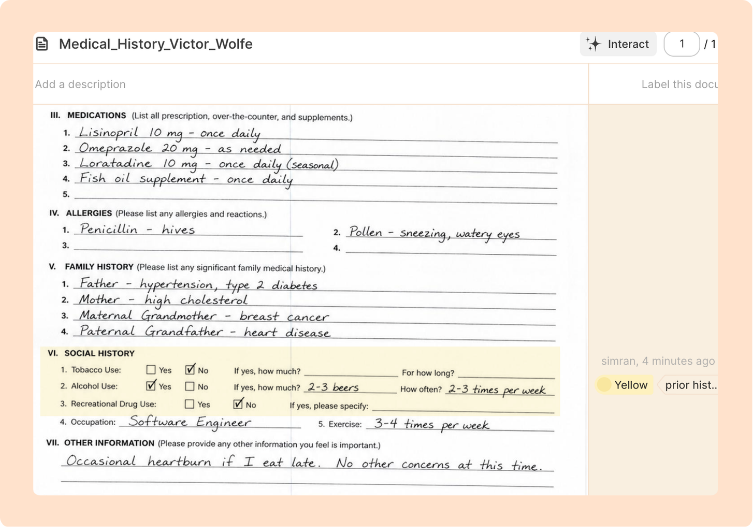
Reduct treats scanned handwritten pages the same way it treats everything else: searchable, summarizable, highlightable. That's often where the small but case-relevant details live: a timestamp, a one-line note about a client's mental state, a detail that didn't make it into the typed report.
Why this matters beyond one case
None of this replaces your judgment as a defense attorney. What changes is how much of your limited time goes into finding the right page versus actually thinking about the case.
For defense teams buried under late discovery and oversized caseloads, that's the difference between building a stronger defense from the full record and relying only on what you had time to find.

TALK TO A PUBLIC DEFENDER
We're on your team

We believe the people building tools for defenders should understand what it actually takes to be one. So we have former public defenders helping us build the product. Have a question about whether Reduct fits your office? We’d love to talk to you.