Reviewing 1,000 hours of jail calls: The best workflow for public defenders
November 2026
·
4 min read

A defender asked r/publicdefenders for help. Their client’s jail calls totaled 1,000 hours, and much of it was with his girlfriend. “I cannot make my staff listen to 1000 hours,” they wrote, and asked if anyone had found a good workflow for jail calls.
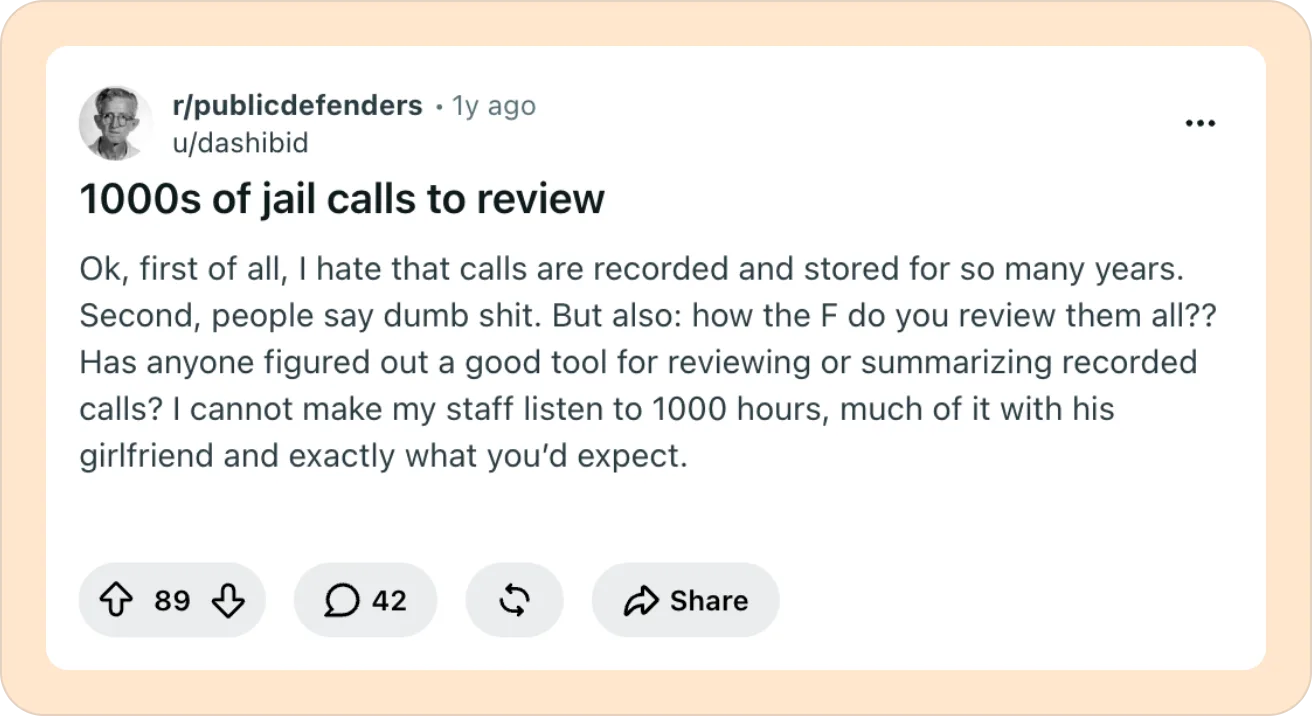
The replies offer a good mix of internal processes and workflows for handling it. Even with all the internal workarounds, jail calls take away a lot of time from public defenders.
Our team at Reduct has spent nights geeking out to create the best workflows for reviewing jail calls.
In this article, I will summarize workflows suggested in the Reddit thread and share how Reduct makes it easier to review 1,000s of jail calls.
The current state of jail calls: Why it’s simply impossible to listen to all of them
The 2023 National Public Defense Workload Study says a low-level felony needs about 35 hours of a lawyer’s time for the whole case. Under the 1973 standards still in use, a felony case gets about 14 hours.
Now when it comes to jail calls, some cases come with 1,000s or 2,000s of them. Jail calls are usually capped at 15 minutes. So 1,000 calls can mean up to 250 hours of audio. That’s more than six full work weeks of nothing but listening.
So a dump of jail calls in a case can take more hours than seven low-level felony cases, start to finish. Going through it all is simply out of the picture.
The Reddit recommendation: Workflow 1
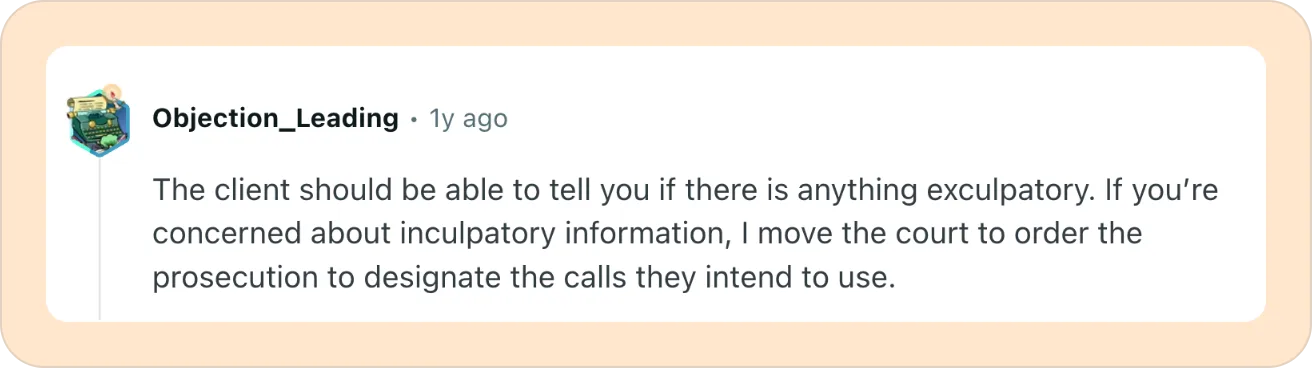
The most upvoted advice was to file a motion asking the court to require the state to identify which calls it plans to use. That way, defenders only have to listen to those calls instead of reviewing every call.
If you can do this in your jurisdiction, it shrinks the pile.
The problem with this is that the state will only list the files that help their case. So, even if it solves the volume issue, it doesn’t help you uncover parts that may actually help your client.
The Reduct workflow
In a recent webinar, D.C. trial attorneys Bernadette Armand and Kevann A. Gardner walked through a homicide case where hundreds of jail calls came in mid-trial, on top of thousands of pages of records and hours of surveillance video. They used Reduct to review the calls along with the rest of the discovery and pull out the moments that mattered while the trial was still going. The jury found their client not guilty.
I have put together a few steps below that build on that workflow and help offices deal with 1,000s of jail calls.
Step 1: Get a quick read on every call
Reduct supports the GTL formats. So you can upload jail calls by dragging and dropping, without the hassle of converting them into a more ‘readable’ audio format.
Now you can batch summarize 1,000s of calls at once. You get a summary of every call up front. And each summary point links to the exact moment in the recording, so you can click on the timestamp, listen to the call, and verify it yourself.
You can immediately see which calls are just family check-ins, which touch the case, and which need a closer look.
You can set up the summaries by time, by topic, or by your own questions. Custom summaries help most when your case has a working theory. Ask for every statement about where your client was on a certain date, or only the calls involving one person.
Step 2: Search every call at once
Once you know roughly what’s in the calls, search for the facts your case theory depends on. That might be a co-defendant’s name, a street address, or words like “gun” or “prison.”
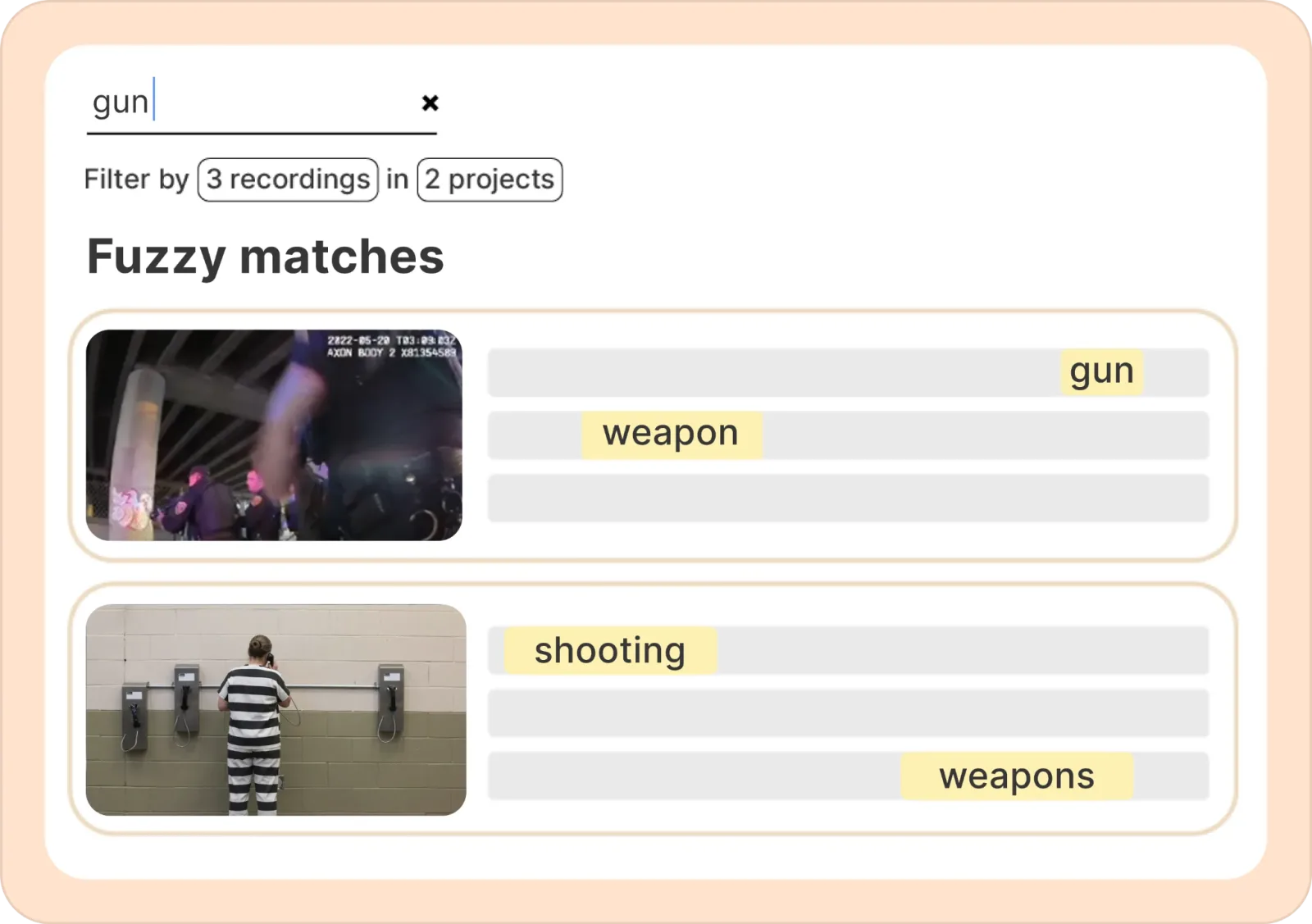
Reduct searches every recording in the batch, so you don’t have to open each file to hunt for one word. Fuzzy search also catches close matches and related words. This is how you find a detail buried in call 24 without sitting through the 23 calls before it.
Once you find an important call you’d like to dig deeper, you can also use the Ask feature to ask questions directly to that specific call. Defenders have already used those answers to prepare for trial.
In the D.C. homicide case above, discovery kept arriving during the trial. One of the biggest helps was asking the jail calls questions like “Does the speaker ever mention coaching the witness?” Reduct returns the exact timestamp and the exact words, so you can click through and decide what to do.
Step 3: Highlight and label as you go
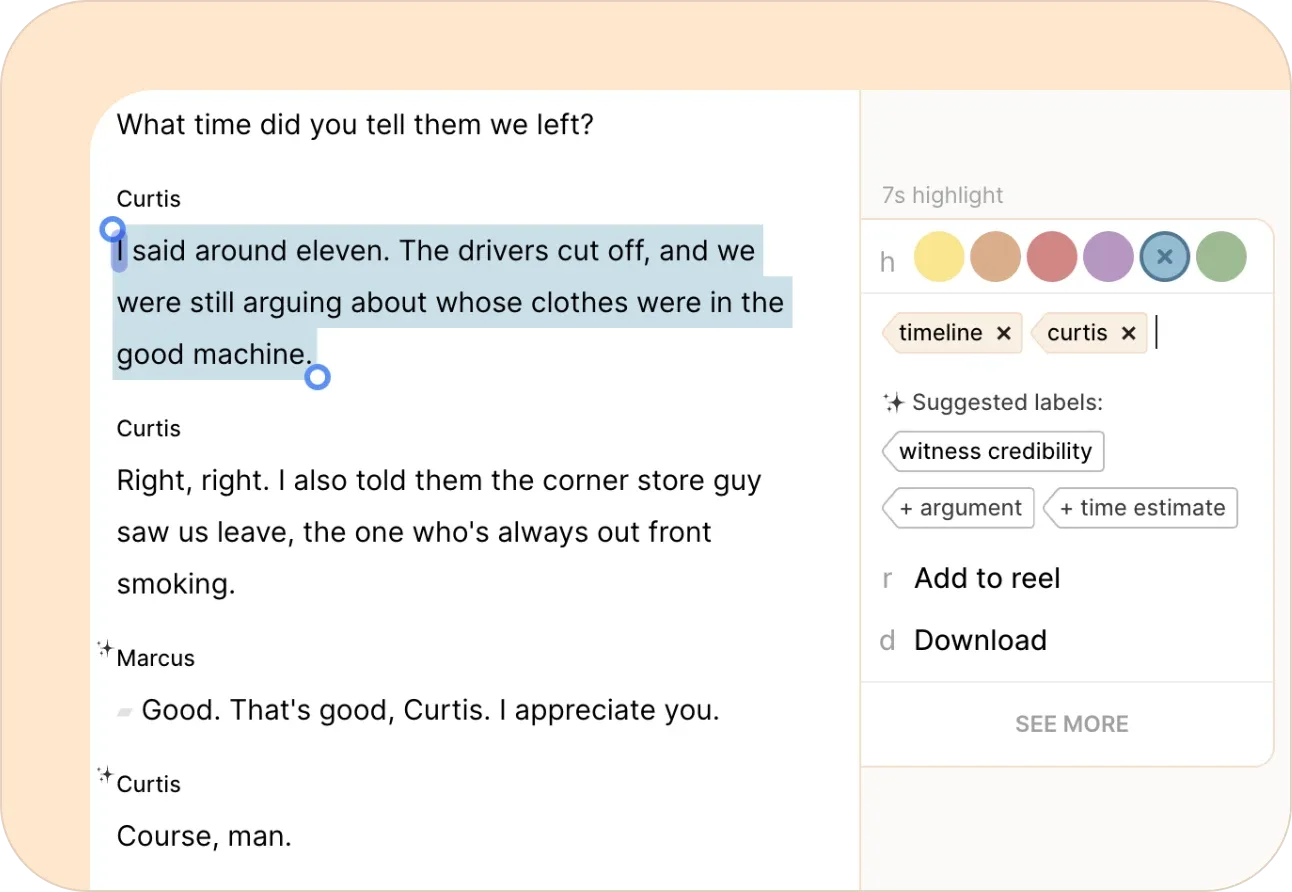
As you review, highlight anything that matters. That could be an admission, a witness, a place, or a line that clashes with the police report. Give each highlight a label like Alibi, Co-defendant, or Timeline, so it’s sorted the moment you find it.
Add a comment when you need a reminder, like a date to check or a name that needs a second listen.
Each highlight stays tied to its exact moment in the recording. Later, you can filter the whole batch down to what you need, like every Alibi moment across every call. You can group labels by type, such as Witness, and give them colors so they’re easy to tell apart. Your work is ready to pull up again without listening to anything twice.
Step 4: Build reels and share them
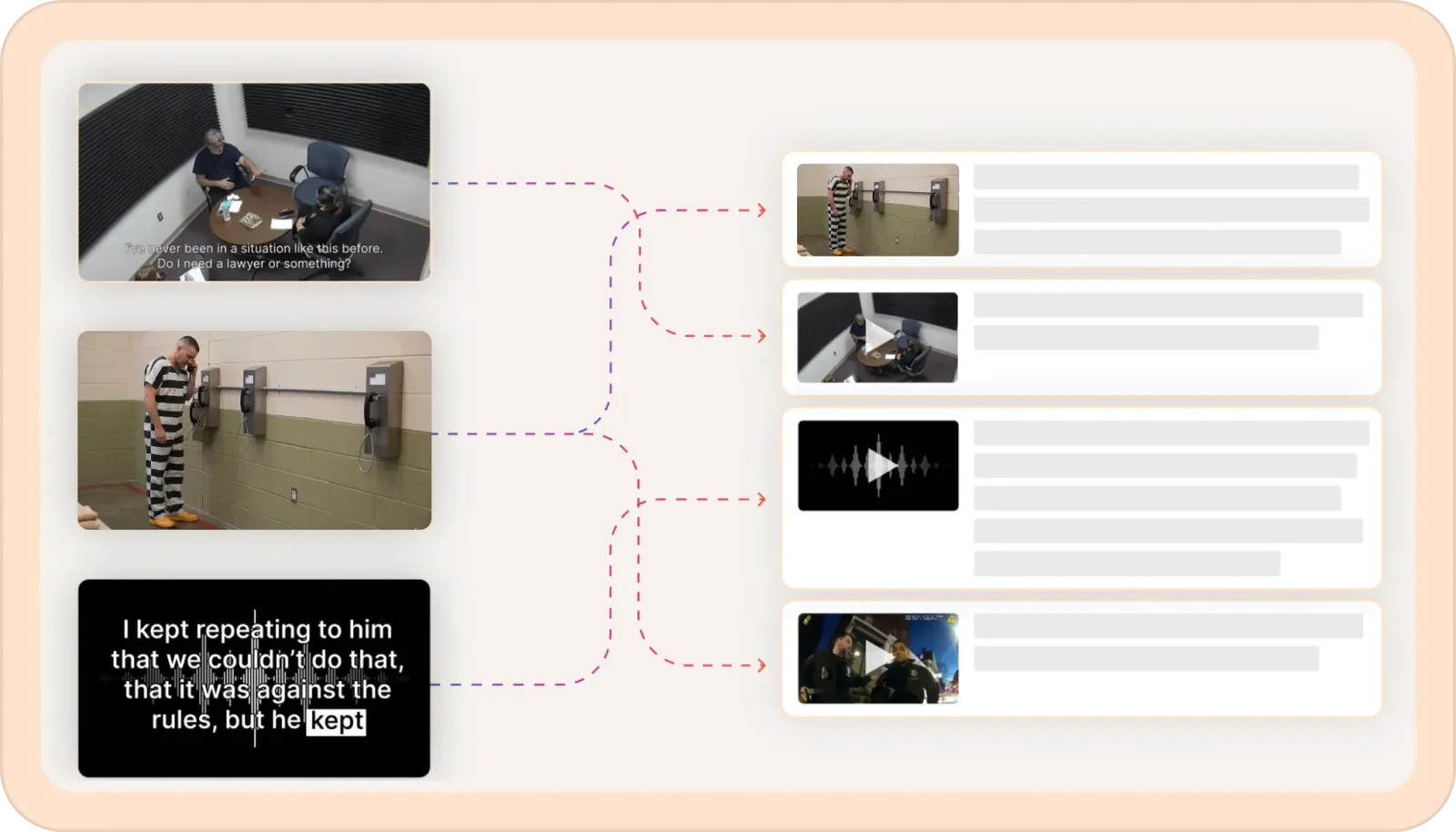
Pull your highlights into a reel. Grab every Alibi clip, or everything labeled Co-defendant, and drag it in. Combine clips from different calls and videos, and cut out dead air. Then put them in the order that tells your story coherently.
When you’re ready, export the reel and get it ready for court.
TL;DR
- Upload every jail call (even in GTL format) with a simple drag and drop.
- Search across all recordings for names, dates, and important words.
- Ask direct questions to calls and find buried moments.
- Highlight and label what matters as you go.
- Build reels to share or download the parts you need.
Reduct does all this grunt work so that you still make the judgment calls.
We know that the prosecutors have all the advanced tools. And Reduct is our effort to balance the scale a bit. We don’t sell to prosecutors. Period. It’s written into our policy statement.
Public defenders and private defense lawyers can try Reduct free on a case with no commitment. And we suggest you start with your worst jail call dump.
TALK TO A PUBLIC DEFENDER
We're on your team

We believe the people building tools for defenders should understand what it actually takes to be one. So we have former public defenders helping us build the product. Have a question about whether Reduct fits your office? We’d love to talk to you.